
Understand What Your Reviews Are Really Saying
An AI analysis dashboard with sentiment and themes, AI-generated summaries for your sliders and badges, and one-click owner responses, all inside your WordPress dashboard.
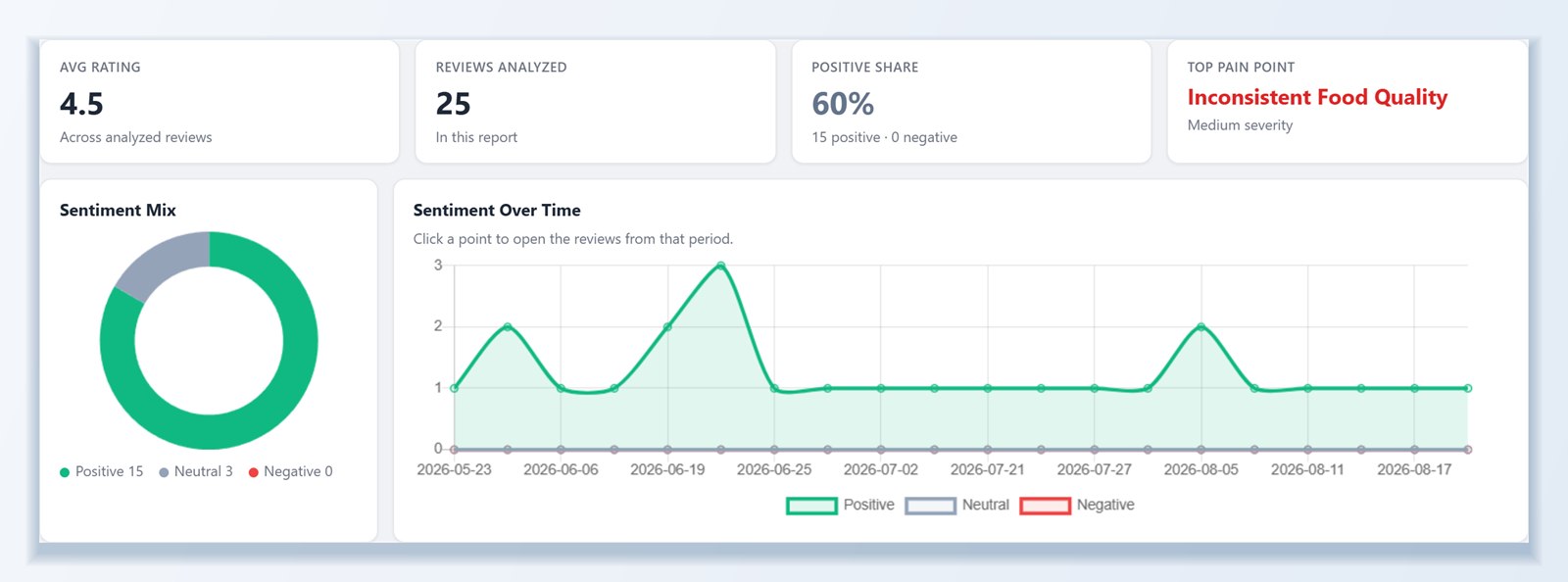
Sentiment and themes at a glance
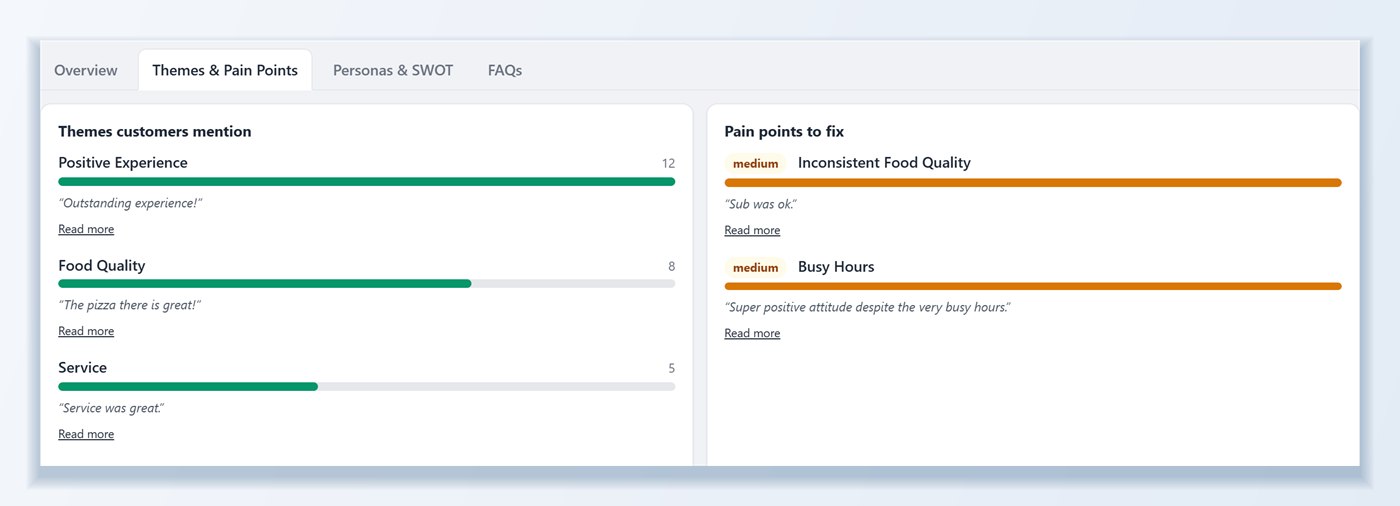
Run an analysis across every review you have imported and get a sentiment snapshot, sentiment over time, ranked themes customers mention most, and a short list of recommended actions.
- Filter by location and date range to focus on one branch or one quarter
- Review source details show which platforms drive the sentiment
- Export the full report or JSON for client reporting and internal dashboards
AI summaries your visitors will actually read
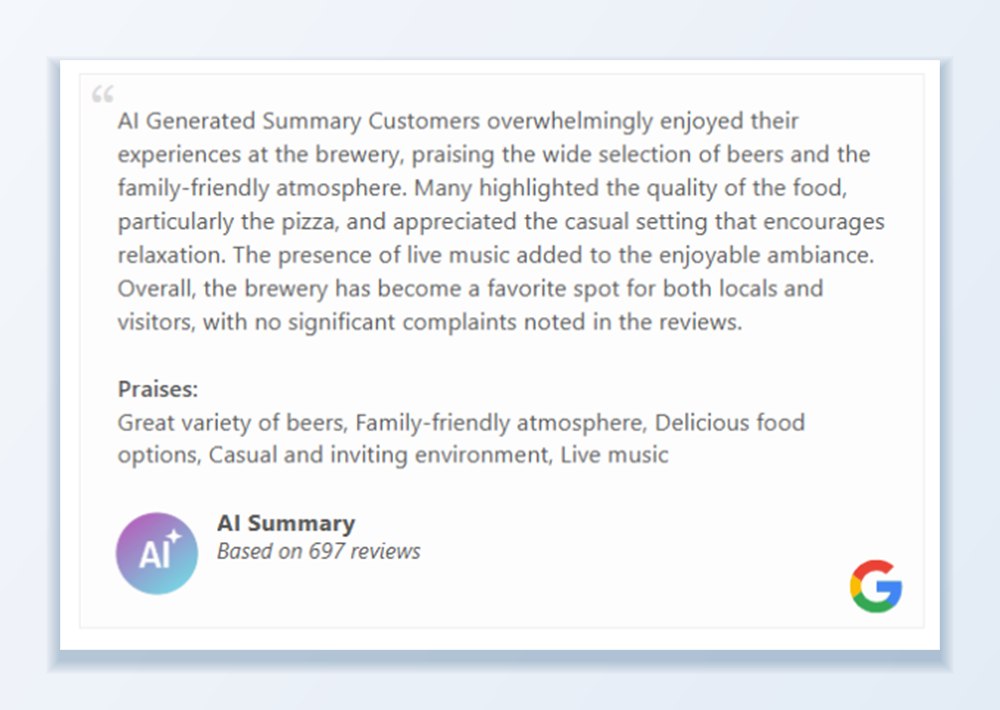
Turn on AI Review Summary for a template or badge and a concise summary of what customers say appears above the reviews. It updates as new reviews arrive, and you choose the language it is written in.
Summaries give visitors the gist in a sentence or two, which makes a long list of reviews far more scannable.
Reply in seconds, in your own voice
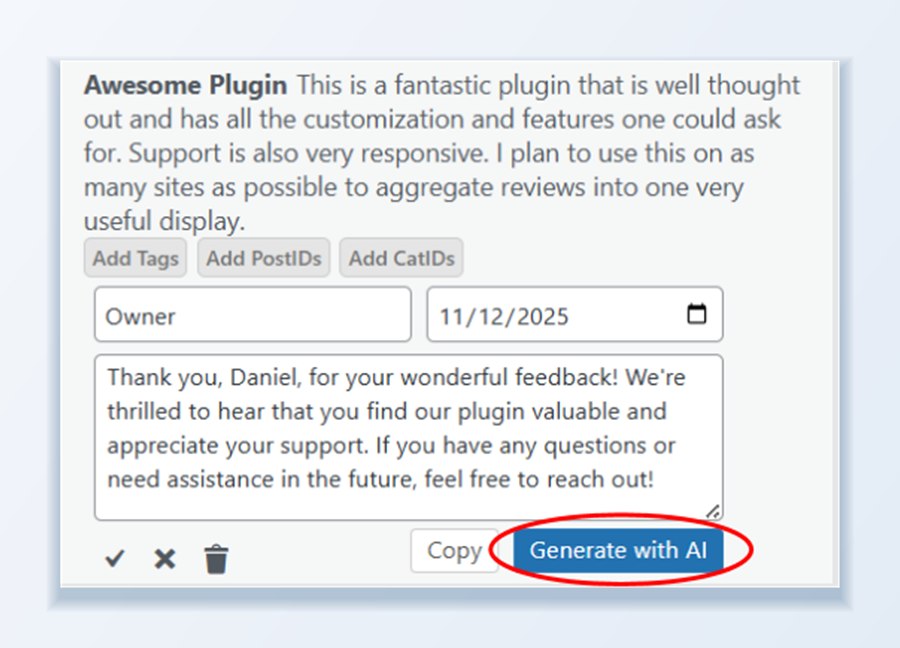
Open Quick Edit on any review in your Review List and click Generate with AI for a professional, on-brand owner response. Edit it, save, and it displays under the review on your site.
Faster response times, a consistent tone, and no more staring at a blank reply box.
Four AI tools in your dashboard
Each one works from the reviews you have already imported, so there is nothing extra to set up.
AI analysis report
A sentiment snapshot, sentiment over time, ranked themes, and recommended actions. Filter by location, source, and date range first, then export the report or JSON.
AI review summaries
A short summary of what customers say, shown above a template or inside a badge. Choose the language and pick from two summary styles.
AI owner responses
Click Generate with AI in Quick Edit to draft a reply to any review. Nothing is published until you edit it and click Save.
Custom sources and translation
Import reviews from sites that are not on the supported list, detect the language of each review, and translate reviews into your site’s language.
Frequently asked questions
Which reviews are included in the AI analysis?
Every review imported, crawled, or submitted into WP Review Slider Pro from any of the 150+ supported sources, WooCommerce, CSV uploads, or review forms. You can filter by location, source, and date range before running a report.
Can I choose the language of the AI review summary?
Yes. Select your preferred output language in the plugin settings and the AI summary displayed on your review templates and badges will be written in that language, even if your raw reviews are in multiple languages.
Where do AI summaries appear on my website?
You can enable the AI Review Summary in the header of any review slider or grid template, inside a review summary badge, or both. Two built-in summary card styles let you match your site design.
Do AI review summaries slow down my website?
No. Summaries are generated in the background and saved in your WordPress database. Visitors see the cached summary HTML immediately with zero external API calls on page load.
Can I edit AI-generated owner responses before they go live?
Yes. Clicking Generate with AI inside Quick Edit drafts a reply in the text box. Nothing is published until you review, edit if needed, and click Save.
Can AI translate reviews written in other languages?
Yes. WP Review Slider Pro includes automatic language detection and AI translation tools so you can translate foreign-language reviews into your primary language or filter templates by language code.
How does AI Custom Source review importing work?
If you have reviews on a niche directory that is not in the 150+ built-in platforms list, paste the page URL into the AI Custom Source tool. The AI reads the page HTML and extracts each review’s author, star rating, date, and text into your Review List.
Put AI to work on your reviews
Setup guides for summaries, analysis, and AI-powered custom sources.