
Turn Your Best Reviews Into Shareable Review Cards
Pick a review you already imported, choose a layout and style, and download a social-ready PNG for Instagram, Facebook, LinkedIn, or your next email. No design tool, no retyping.
Start from a real review, not a blank canvas
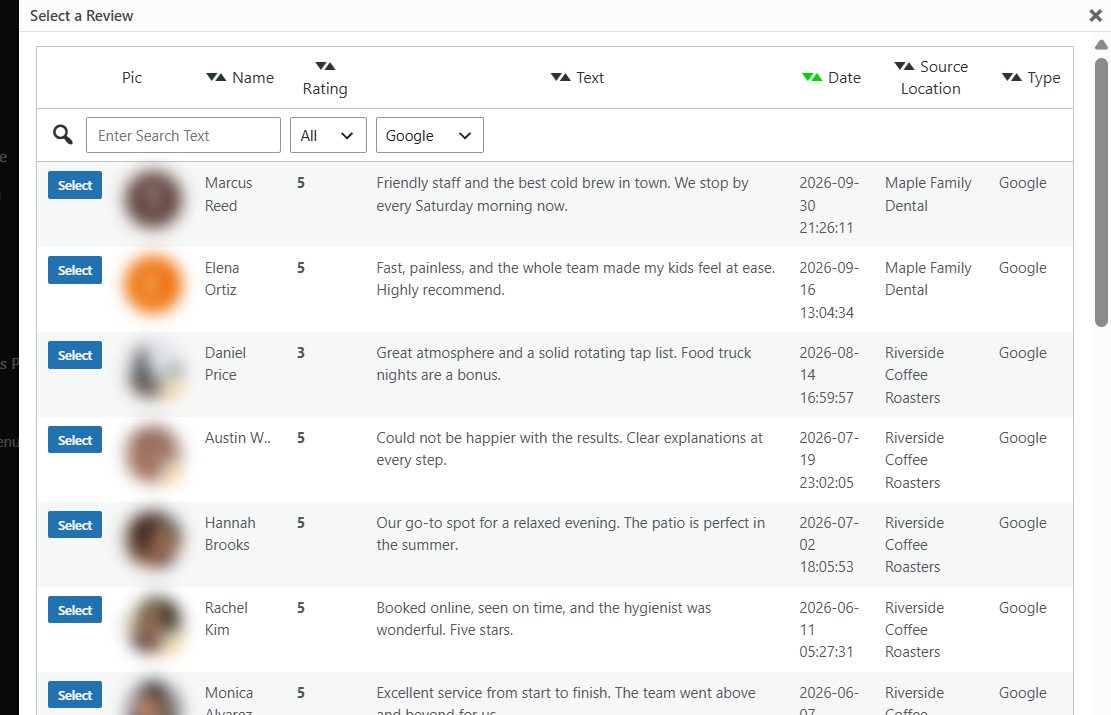
Open Display Reviews → Review Cards and click Create Card. A Select a Review window lists every review you have imported, with the reviewer photo, name, star rating, text, date, and source. Search by keyword, filter by minimum rating or platform, and pick the one worth sharing.
Already looking at a great review in your Review List? Click the card icon next to it and the builder opens with that review loaded.
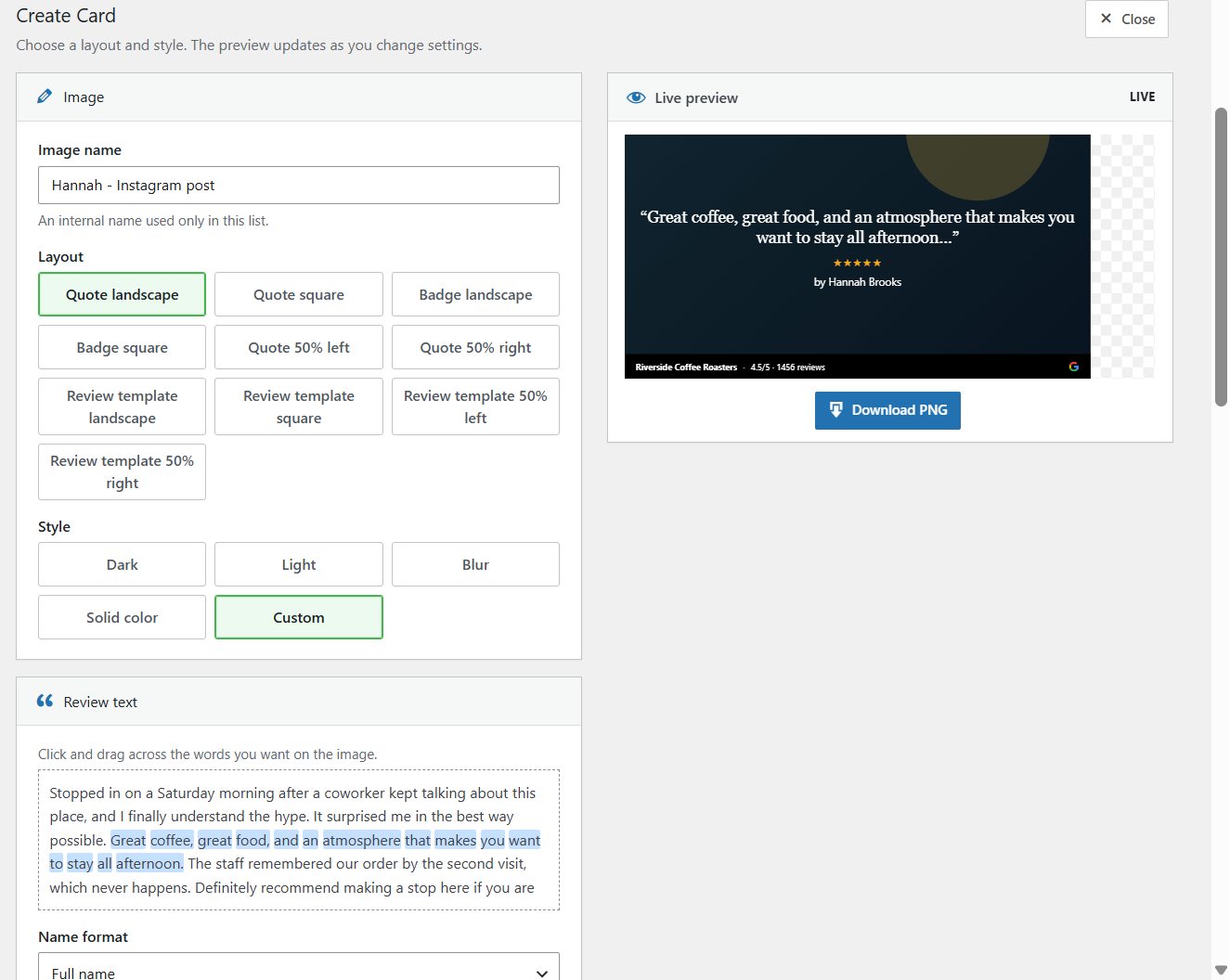
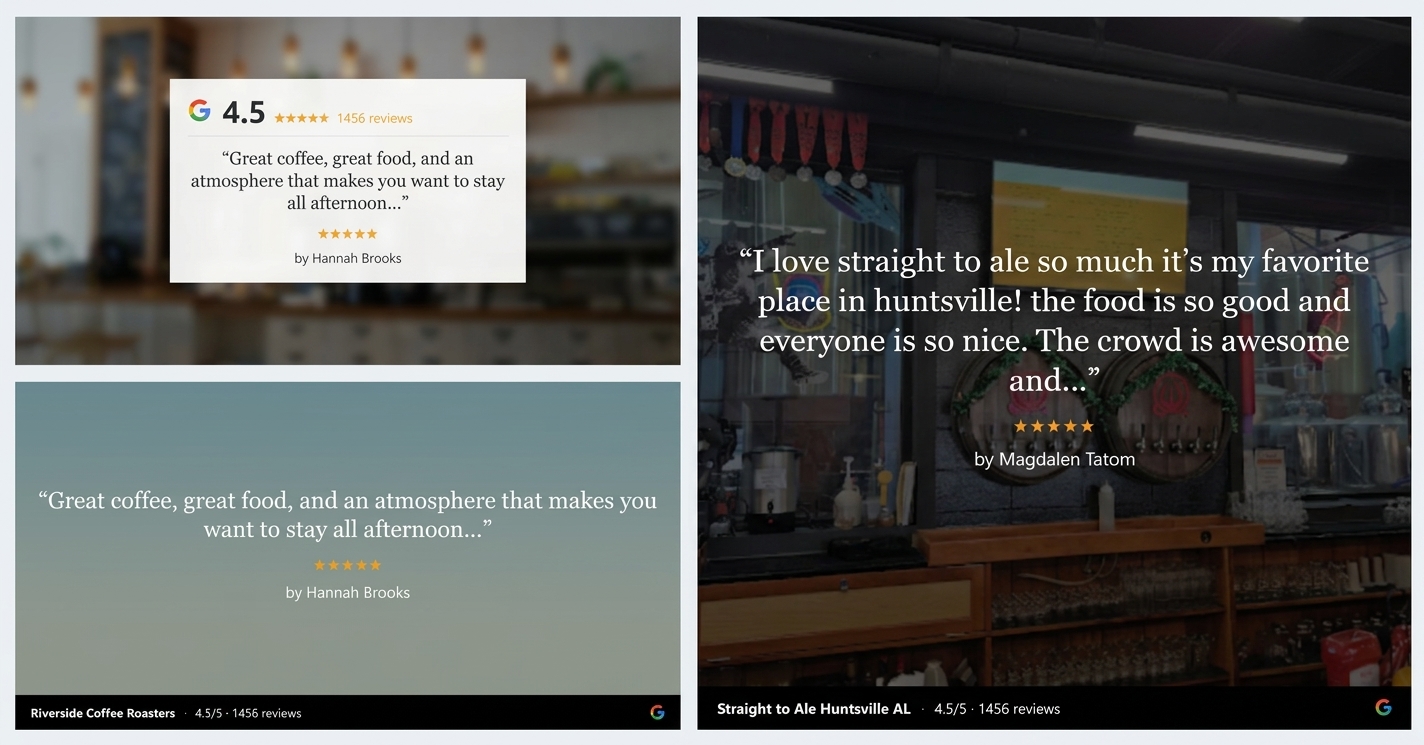
Ten layouts, five style presets, and a live preview
Choose a Quote, Badge, or Review template layout in landscape (1200 × 630) or square (1080 × 1080), plus 50% left and right variants that leave room for a background photo. Then pick Dark, Light, Blur, or Solid color and adjust anything you like.
- Drag across the review text to select exactly which words appear
- Use the customer’s own photos, your media library, free Unsplash images, bundled backgrounds, or a solid color
- Footer strip shows your business name, average rating, total review count, and the source logo
- Credit reviewers by full name, first name and last initial, initials, or hide the name
- Review template cards match the review styles already on your site
Download a PNG and post it anywhere
Save the card so you can come back to it later, then download a crisp PNG sized for the platform you are posting to. The reviewer name, stars, and quote come straight from the review, so the card is accurate every time.
Use cards in social posts, newsletters, proposals, slide decks, and in-store screens. Every saved card stays in your Review Cards list with Edit, Download, and Delete buttons.

Sizes, styles, and where to use them
Everything you need to turn a review into a finished image, without leaving WordPress.
Two sizes
Landscape at 1200 × 630 for LinkedIn, Facebook link posts, and email. Square at 1080 × 1080 for Instagram and Facebook feeds.
Ten layouts
Quote, Badge, and Review layouts in both sizes, plus 50% left and right versions that leave room for a background photo.
Backgrounds
Use the customer’s own photos, your media library, free Unsplash images, a bundled background, or a solid color.
Pick the best sentence
Drag across the review text to choose exactly which words appear, so long reviews still read well on a card.
Credit reviewers your way
Show the full name, first name and last initial, initials only, or hide the name.
A saved card library
Every card you save stays in your Review Cards list with Edit, Download, and Delete buttons.
Frequently asked questions
Which reviews can I turn into a shareable review card?
Any review stored in WP Review Slider Pro: Google, Facebook, Yelp, TripAdvisor, Amazon, Airbnb, WooCommerce product reviews, form submissions, or any of the 150+ supported sources.
What pixel dimensions are the downloaded PNG review cards?
Every layout is available in both Square (1080 by 1080 pixels for Instagram and Facebook feeds) and Landscape (1200 by 630 pixels for LinkedIn, X/Twitter, email headers, and slide decks).
Do I need Canva, Photoshop, or an external design account?
No. The entire Review Card builder runs natively inside your WordPress dashboard. Select a review, pick a layout and background, and download a crisp PNG in seconds.
What if a customer review is too long to fit nicely on a social graphic?
Inside the card builder, simply drag your cursor across the best sentence or phrase in the review text. The card preview updates immediately to feature that exact excerpt at an optimal font size.
Can I hide or abbreviate the reviewer's last name for privacy?
Yes. Each card lets you display the reviewer’s Full Name, First Name and Last Initial, Initials Only, or hide the reviewer name completely.
Is Review Cards included with WP Review Slider Pro?
Yes. Review Cards is built into WP Review Slider Pro, so there is no separate add-on to buy. You will find it under Display Reviews → Review Cards.
Ready to make your first card?
These step-by-step guides walk through the builder and show what else shipped alongside Review Cards.