
Beautiful Review Sliders, Grids, and Lists for Any Theme
Choose a template style, match your colors and fonts, and drop a shortcode anywhere. Sliders, masonry grids, lists, image-first cards, pop-ups, and read-more layouts are all included.

Pick a style, then tune every detail
Start from more than a dozen template styles, from classic speech-bubble sliders to minimal cards and image-first layouts. Then make it yours:
- Colors, fonts, star color, card background, borders, and avatar shape
- Slider, grid, or list layout with your choice of columns and reviews per page
- Autoplay, arrows, dots, and swipe on mobile
- Show or hide dates, source icons, titles, and owner responses
Every template gets its own shortcode, so you can run different designs on different pages.















Live demo: image-first template pulling real reviews on this site


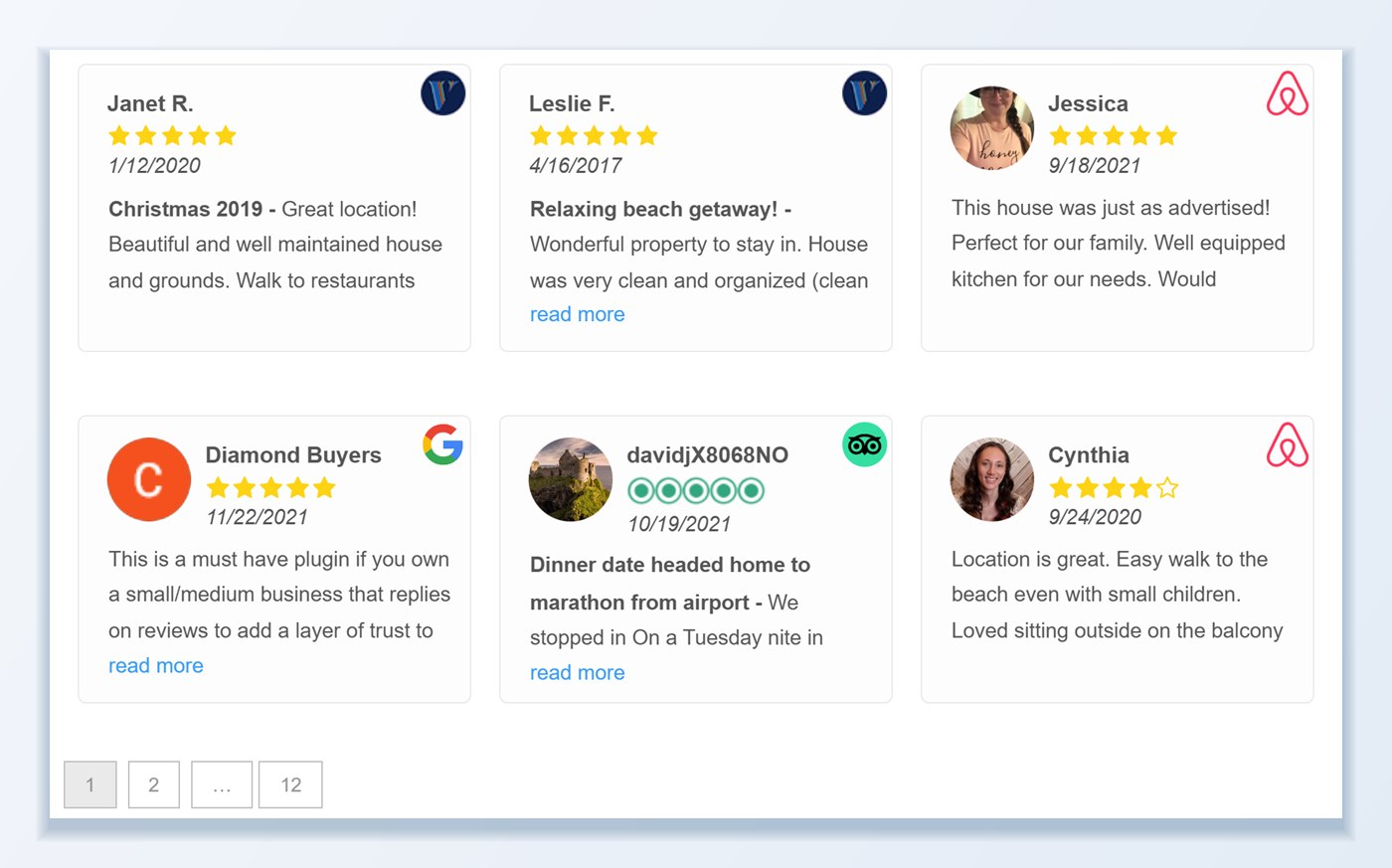
Grids with pagination, filters, and sorting
Masonry grids keep long and short reviews looking tidy, with pagination or load more for larger collections. Decide exactly which reviews appear:
- Minimum star rating and maximum number of reviews
- One source or a mix of Google, Facebook, Yelp, WooCommerce, and more
- Tags, locations, keywords, and review language
- Sort by date, rating, or random, with a sort weight to pin favorites first
Live demo: grid template with pagination

 Google
 TripAdvisor
 Yelp
 Airbnb
 VRBO
 Facebook



- 1
- 2
- …
- 12
Photos, read more, pop-ups, and rich snippets
Show the photos customers attached to their reviews in a lightbox, trim long reviews with read more or a pop-up, and display owner responses under the review. Add an AI-generated summary above the slider so visitors get the gist before they scroll.
Turn on review schema for a page and your aggregate rating becomes eligible for star rich results in search. Reviews are stored in your WordPress database and refreshed on a schedule, so visitors never wait on a third-party API.

Everything you can control
Every template has its own settings, so you can run a different design on each page.
15 template styles
Speech-bubble sliders, boxed cards, minimal lists, image-first cards, and more. Switch styles and see the change in the live preview.
Choose the reviews
Filter by source, minimum rating, tags, location, keyword, or language, and use a sort weight to pin your favorites first.
Long and short reviews
Trim long reviews with read more or a pop-up, or use a masonry grid so cards of any length fit without gaps.
Photos and owner responses
Open customer photos in a lightbox, show your owner responses under each review, and add an AI summary above the slider.
Rich snippets
Turn on review schema for one template per page and choose Product, LocalBusiness, or Service so your rating can show as stars in search.
Works with your page builder
Each template has its own shortcode for Divi, Elementor, the block editor, and widget areas. There is also a PHP function for theme files.
Frequently asked questions
Will the review slider match my WordPress theme and page builder?
Yes. Every color, font size, border radius, star icon color, and card background is adjustable in the visual editor. The template shortcode works inside Divi, Elementor, the block editor, widget areas, and classic theme files.
Can I combine reviews from Google, Facebook, Yelp, and WooCommerce in one slider?
Yes. Select any combination of imported sources when creating a template. Each review card displays its original platform icon (Google, Facebook, Yelp, TripAdvisor, etc.) so visitors can verify where the review originated.
How do I filter which reviews appear on a specific page or WooCommerce product?
You can filter any template by minimum star rating, platform, location, language, keyword, tag, or specific post/product ID. You can also assign a custom sort weight to pin your strongest testimonials to the front of the slider.
Can I create a continuous scrolling review ticker?
Yes. The Advanced Slider settings include a continuous-scroll ticker mode alongside standard one-slide or multi-slide carousels, masonry grids, and paginated lists.
How does the plugin handle very long reviews vs. short one-line reviews?
You can set a character or word limit with an inline Read More toggle or a modal pop-up window, enable equal-height review cards with an internal scrollbar, or switch to a Masonry Grid layout that fits cards of any length without empty gaps.
Will a review slider slow down my site or hurt Core Web Vitals?
No. Unlike cloud widget embeds that fetch external JavaScript and images on every visit, WP Review Slider Pro stores all review text and cached WebP avatars locally in WordPress so your sliders render with your page HTML.
Build your first review slider
Step-by-step tutorials for the most common template setups.
- How to create a Google review slider on your WordPress site
- How to sort and filter reviews in a template
- How to filter reviews by language
- How to display customer reviews on your WordPress website
Import ReviewsReview BadgesReview FormsAI Review AnalysisEmail SignaturesReview CardsTrustGuide Profile