
Collect New Reviews With Forms, Review Gates, and Autoresponders
Put a branded review form on your site, send review requests automatically after a WooCommerce order, and route happy customers to your public review profiles while you hear about problems privately first.
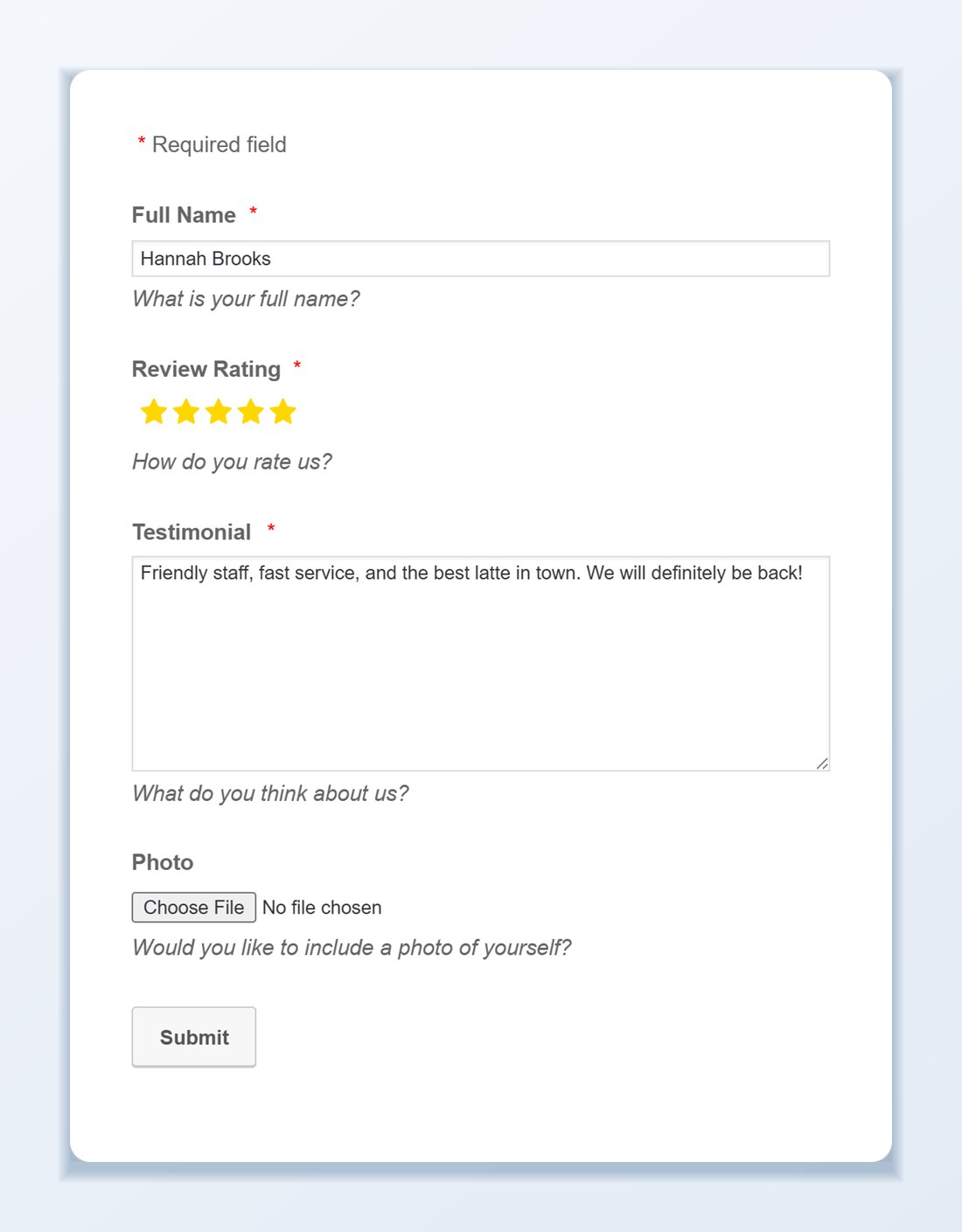
A review form that matches your brand
Build a form with the fields you need, such as name, email, star rating, review text, and an optional photo. Mark fields as required, write the labels in your own words, add reCAPTCHA if spam becomes a problem, and style the colors to match your site.
- Hold each review for approval, or auto-approve, with an email notification on every submission
- Collected reviews join your Review List next to Google, Facebook, and the rest
- Generate a QR code that opens the form, for receipts, counters, and packaging
- Place the form with a shortcode on any page or in a pop-up
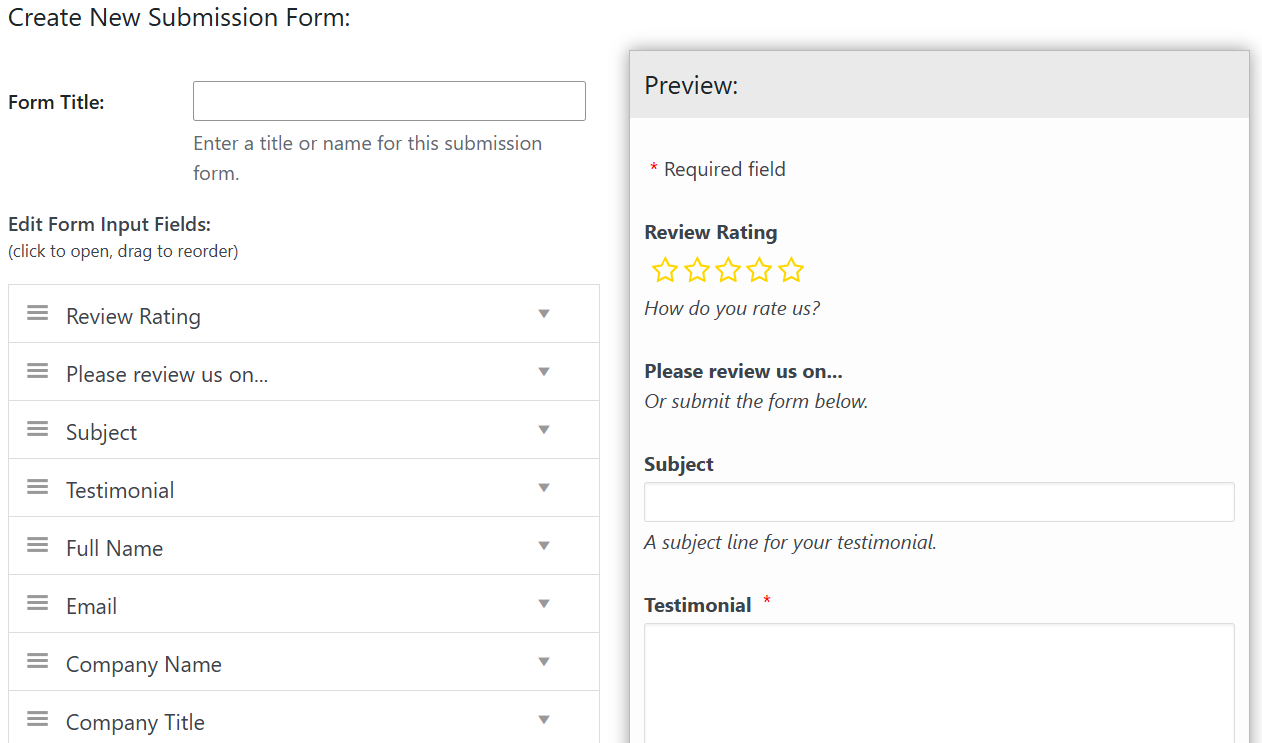
Ask at the right moment, automatically
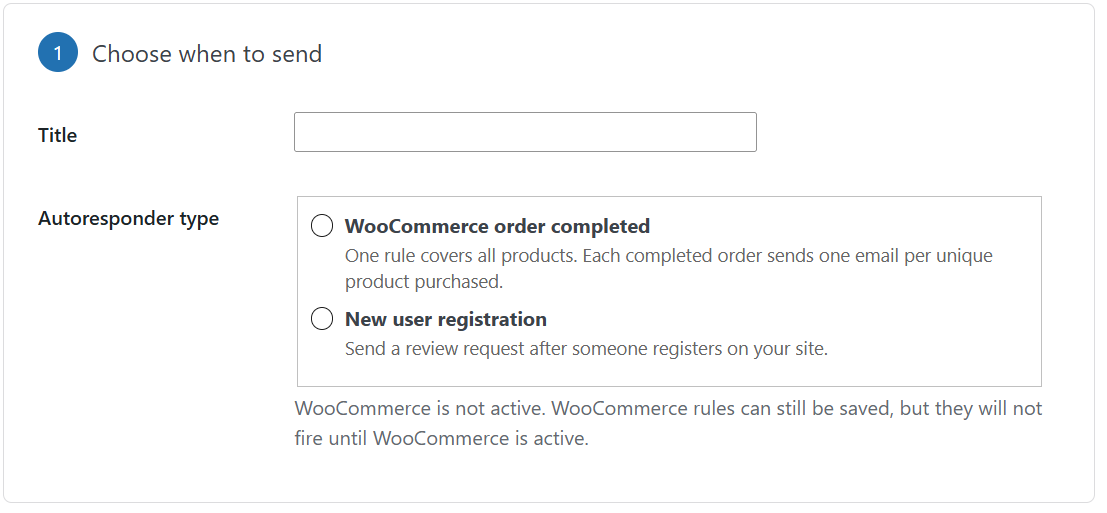
Autoresponders send a review request after a WooCommerce order is completed or after someone registers on your site. Pick the delay in days, choose where the link should send them, and the plugin handles the rest.
- Starter templates for a quick rating request, a product review request, or a warmer follow-up
- Your logo, accent color, from name, and footer in every email
- Email history with delivery, clicks, and approximate opens for 90 days
- No separate email marketing tool required
Review gate: happy customers go public, unhappy ones go private
A review gate asks for a star rating first. Customers above the rating threshold you set are shown links to the review sites you choose. Lower ratings keep the private feedback form open so you can fix the problem first. Note that Google’s policies discourage gating for Google reviews, so use it with other sites or as a general feedback form.
Everything you collect can be displayed in any slider, grid, or badge alongside your imported reviews, so a new form review shows up on your site the moment you approve it.

Try a live review form
This form is running on this page right now. Click Ready to review? to open it and see the star rating, fields, and photo upload your customers would see.
Reviews collected this way land in your Review List, where you can approve them and show them in any slider, grid, or badge.
Four ways to collect new reviews
Use one or all of them. Everything you collect ends up in the same Review List.
Forms on any page
Add a form with a shortcode or in a pop-up. Choose the fields, allow photo uploads, add reCAPTCHA, and decide whether reviews are held for approval.
QR codes
Create a QR code for a form, pick the page it opens, and print it on receipts, counter signs, or packaging.
Autoresponders
Send a request a set number of days after a WooCommerce order is completed or a new user registers. A built-in checker flags anything in your email that might break in Gmail or Outlook.
Review gate
Ask for a star rating first. High ratings see links to your public review sites, and lower ratings get the private feedback form. Google discourages gating for Google reviews.
Frequently asked questions
Do I need WooCommerce to use review forms and review gates?
No. Review submission forms, QR codes, and review gates work on any WordPress site. The WooCommerce completed-order trigger for autoresponders requires WooCommerce, while the new user registration trigger works on any standard WordPress site.
Can I hold submitted reviews for moderation before they appear on my site?
Yes. You can hold new form submissions for manual approval and receive an instant email notification whenever a customer submits a review. Once approved in your Review List, the review automatically appears in your sliders, grids, and badges.
What is a review gate and when should I use it?
A review gate asks customers to click a star rating first. Customers who select a high rating (such as 4 or 5 stars) see direct links to leave a public review on external sites you choose, while lower ratings open a private feedback form so you can resolve their issue directly. Note that Google’s policy discourages gating specifically for Google reviews, so use it for other platforms or general first-party feedback.
Can customers upload photos with their review submission?
Yes. You can enable photo and avatar uploads on your review form so customers can attach pictures of your product or service. Uploaded photos can be displayed in a lightbox inside your review templates.
How do QR codes work for collecting in-person reviews?
In the Forms tab, click the QR Code button next to any form, select the published WordPress page where that form lives, and download a ready-to-print QR code graphic for receipts, signage, or product inserts.
Can I track how many autoresponder emails were opened and clicked?
Yes. WP Review Slider Pro keeps a 90-day Autoresponder History showing every scheduled and sent email, delivery status, open tracking, and review link clicks.
How do I prevent spam submissions on public review forms?
Forms include built-in spam prevention options including Google reCAPTCHA and manual moderation queues so bots cannot publish fake reviews to your site.
Start collecting reviews
Walkthroughs for forms, autoresponders, and review gates.